Scenario:
During preparing Master Image of any Mictosoft Operating System, in the last step before capturing the image with copy profile, It’s very important to Clear Run Commands Cache in Run dialog box from start menu which are automatically cached to be used later.
Solution:
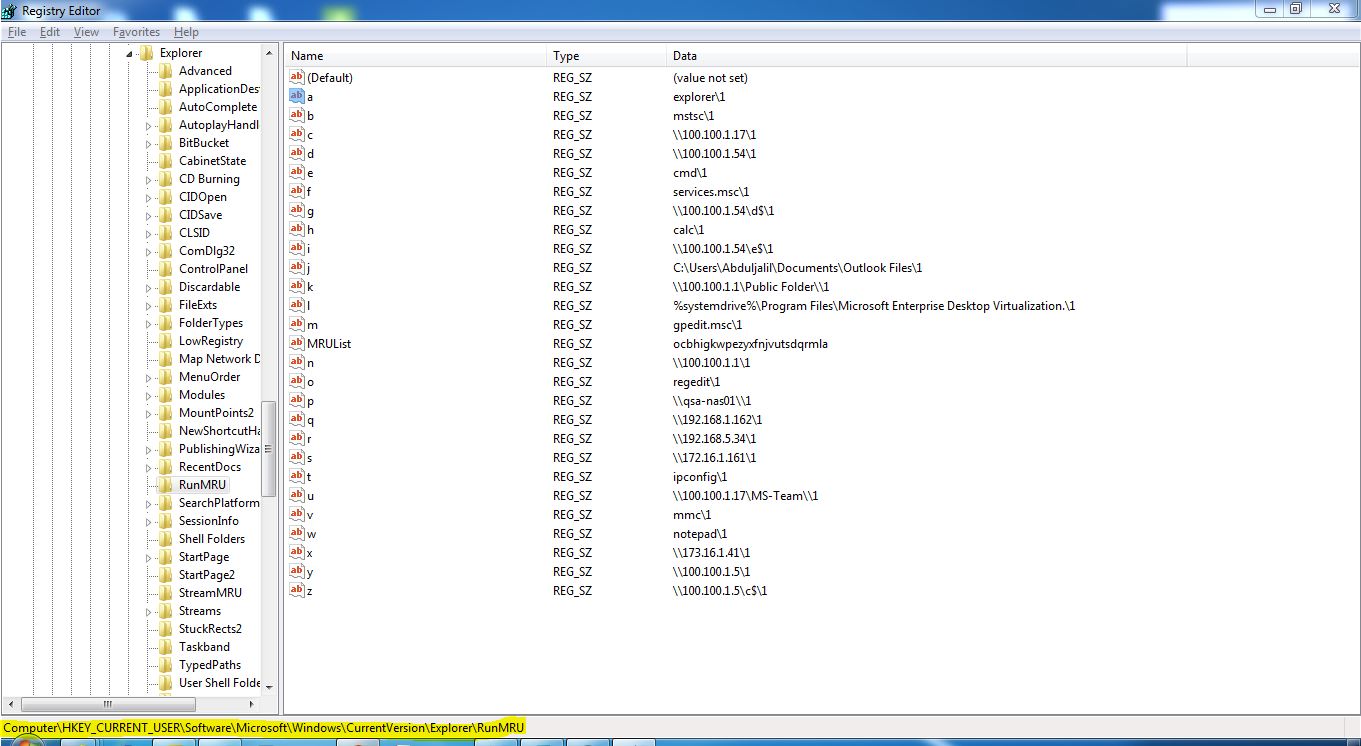
Go to registry and follow the following path:
HKEY_CURRENT_USER/Software/Microsoft/Windows/CurrentVersion/Explorer/RunMRU
and in right pane you will find entries for the Most recently used command in Run box. Delete the unwanted entries or delete all.
Abduljalil Abolzahab
SC Configuration Manager/Windows 7 Deployment
 Abdul Jalil Abou Alzahab